



Computer Case 120MM Fan RGB 6PIN Colorful Lamp Radiator Cooler Mute PC
18 in stock
Keep your PC cool and quiet with this mute radiator cooler featuring a 120mm RGB fan. This colorful 6PIN component ships from the US to ensure your computer case stays well-ventilated and stylish.
Price range: $11.49 through $59.49
- Brand Name: Wovibo
- Certification: CE
- Origin: CN(Origin)
- Application: Computer Case
- Package: Yes
- Compatible CPU: Intel/AMD
- Power: 4.2 W
- Bearing: Fluid Bearing
- Fan Life: 50000 hrs
- Fan Speed Control: 1300 RPM
- Noise: 25dBA
- Feature: RGB Support
- Air Volume: 38CFM
- Lines: 1 Lines
- Type: Fan
- Power Interface: 6pin
- Model Number: Computer Case Fan
- Heatsink Material: Plastic
- Fan Size: 120x120x25mm
- Feature1: Adajust Fan Colors
- Feature2: Adajust Fan Speed
- Feature3: Mute
- Interface of RGB Controller: Molex
- Interface of Music Controller: SATA
1.The remote control is divided intoRGB ControllerandMusic Controller. RGB Controlle is directly connected to the power Supply interface. No need to connect to the motherboard.but RGB Controller not supportsAura Sync.
2.TheMusic Controllersupports Motherboard synchronization Aura Sync and comes with Music Function .But the motherboard must have a 5V-3PIN interface.

Regarding the minimum speed:
Due to different batches of motors. At the lowest speed, some fans may stop rotating. It is out of sync with other fans. This is not a quality problem, it is caused by different production batches of motors. If you want to stop the fan. You just need to press the "OFF" button

1.You can adjust the color of the light and the speed of color change through the remote control.
2.Reduce the computer temperature. Quiet and beautiful.
3.Switch various lighting modes through remote control.
4.Suitable for DIY Computer.

Application: Computer Case Fan
Compatible CPU: Intel / AMD
Power: 4.2 W
Bearing: Fluid Bearing
Fan Life: 40000 hrs
Fan Speed Control: 1300 RPM
Noise: 25dBA
Feature: RGB Support
Air Volume: 38CFM
Lines: 1 Lines
Power Interface: 6pin
Heatsink Material: Plastic
Fan Size: 120x120x25mm
Interface of RGB Controller : Molex
Interface of ARGB Music Controller : SATA


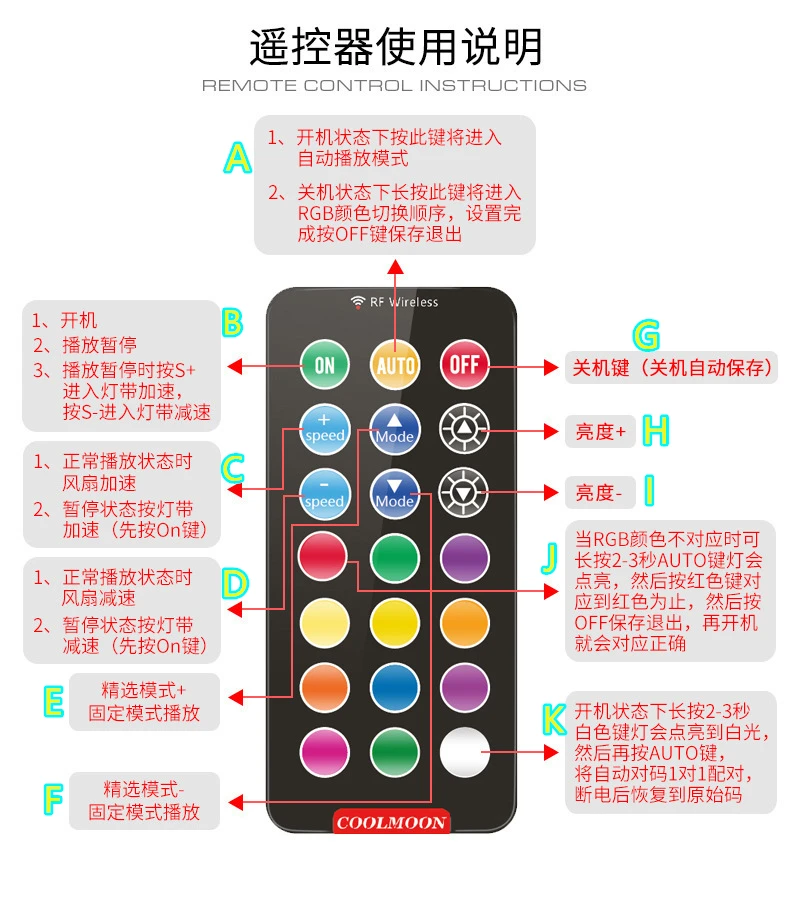
Operation method:
A.
1.Press this button to enter the playback mode (when turned on)
2.Press and hold the button to enter the RGB color switching sequence. Press OFF to save and exit after setting(In off state)
B.
1.Turn on
2.Playback Pause
3.Press S to enter Light strip acceleration mode. Press S- to enter Light strip deceleration mode (when while playback is paused)
C.
1.The fan speeds up. (During normal playback)
2.Light strip Speed up (when playback is paused) (press on first)
D.
1.The fan speeds down. (During normal playback)
2.Light strip Speed down (when playback is paused) (press on first)
E.
Featured Mode +(Play in fixed mode)
F.
Featured Mode -(Play in fixed mode)
G.
Shutdown button (automatic save after shutdown)
H
brightness+
I
brightness-
J
When the RGB colors do not correspond, the button of the Auto button will light after pressing the button for 2 to 3 seconds. Then press the red button and the color will be red. Then press OFF to save and exit, the corresponding will be correct after restarting
K
Press and hold the button for 2 to 3 seconds while the power is on. The light of the white button will turn white. Then press the Auto button again. It will be paired automatically. Restore to original code after power failure
1.ON/OFF
2.Autoplay mode
3.Motherboard programming/remote control mode switch
4.[Slow down] the changing speed of the light effect in remote control mode
[Decrease] the sensitivity of sound sensor in music mode
5.Brightness+
6.Brightness-
7.One click to white, then click to have 12 different color changes
8.Fixed red Fixed green
9.Music mode1:Long press 3s to enter 1v1 code pairing, and 3 flashes for success
10.Music mode2
11.Music mode3:Long press 3s to cancel the code pairing and restore the original code,and 3 flashes for success
12.Speed of the fan-
13.Mode+
14.Speed of the fan+
15.Play DIY mode
16.[Speed up] the changing speed of the light effect in remote control mode
[Strengthen] the sensitivity of sound sensor in music mode
17.Add DIY mode
18.Del DIY mode
19.Mode-
20.Fixed blue,long press 3s to cancel
Music mode1:All fan lights can be synchronized with the music
Music mode2:Random change of all fan lights rainbow mode
Music mode2:All fan lights in monochrome mode and phantom color mode change randomly
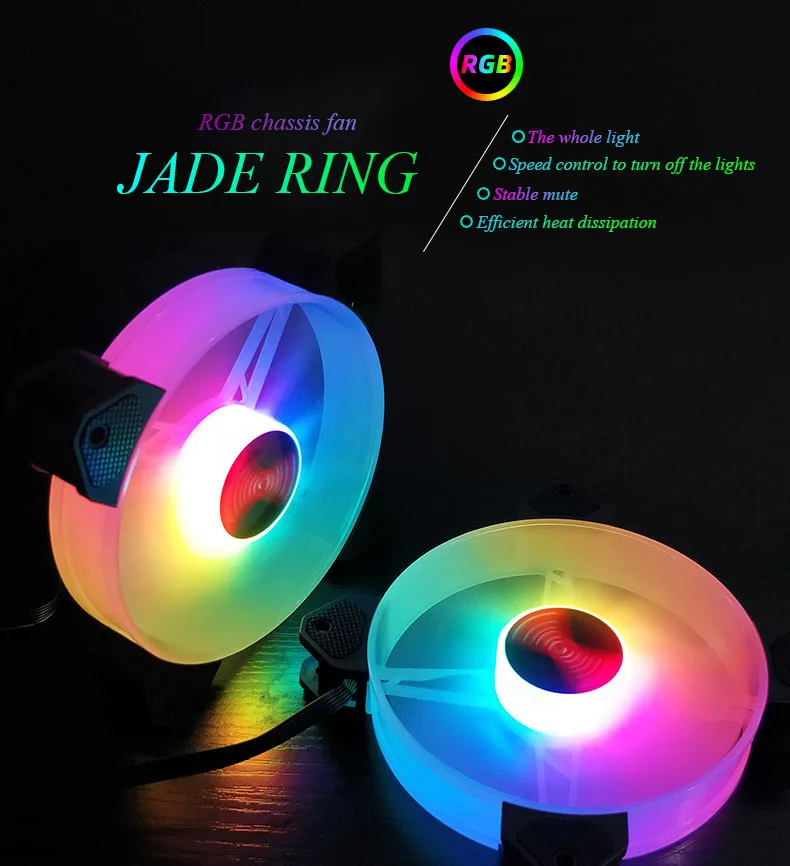


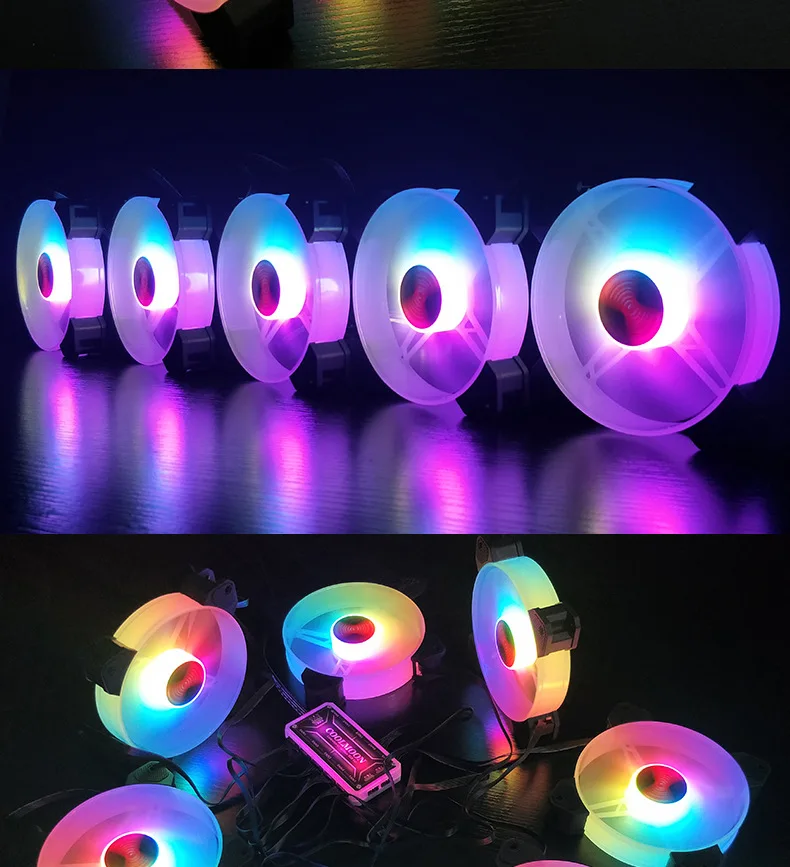


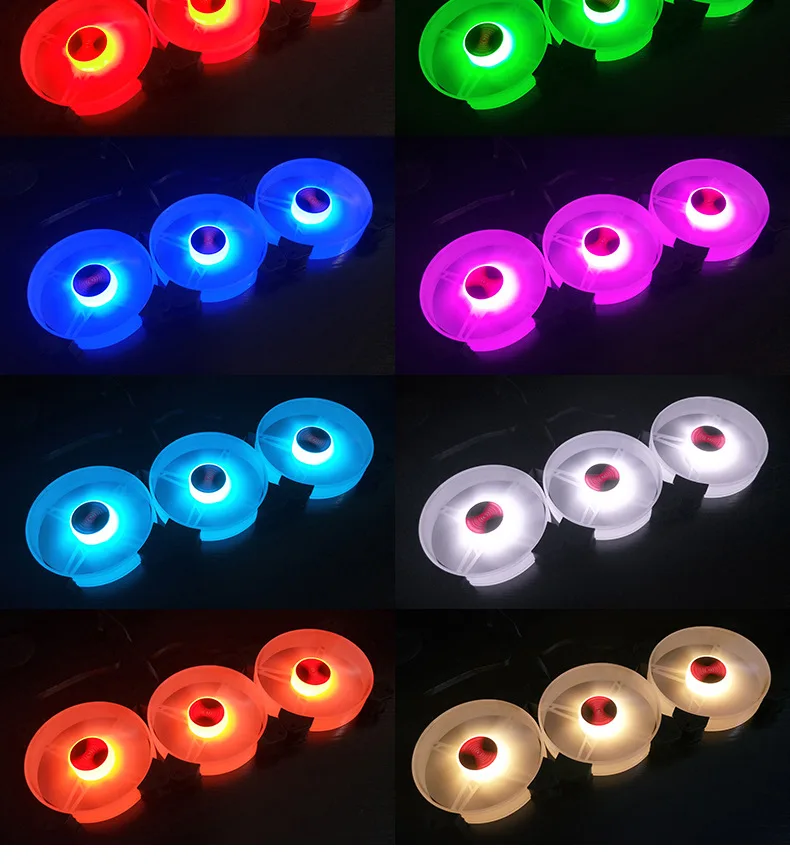


All of Controllers supports Connecting with Power supply . Doesn't need to connecting with Motherboard . if you just control the fan by Remote Contorl.
Based on 0 reviews
Only logged in customers who have purchased this product may leave a review.
Related products
-
-
Computer Cases
Stackable Open Air Miner Case 6 / 8 / 12 GPU Mining Rig Frame For
This stackable open air mining rig frame supports 6, 8, or 12 GPUs for efficient hardware management. The modular design allows you to expand your mining setup easily as your cryptocurrency operations grow.
SKU: 1005003219210608 -
-
Computer Cases
K39 All Aluminum A4 Chassis Small Desktop Computer Case Supports I5
Choose from six vibrant color options to match your unique setup with this all aluminum A4 chassis. This small desktop computer case provides a durable, compact housing that fully supports your I5 processor builds.
SKU: 1005002703941274






There are no reviews yet.